MAGIX Movie Edit Pro 2016 Plus
Charts
32 😀     14 😒
63,43%

Rating

MAGIX Movie Edit Pro 2016 Plus Steam Charts & Stats

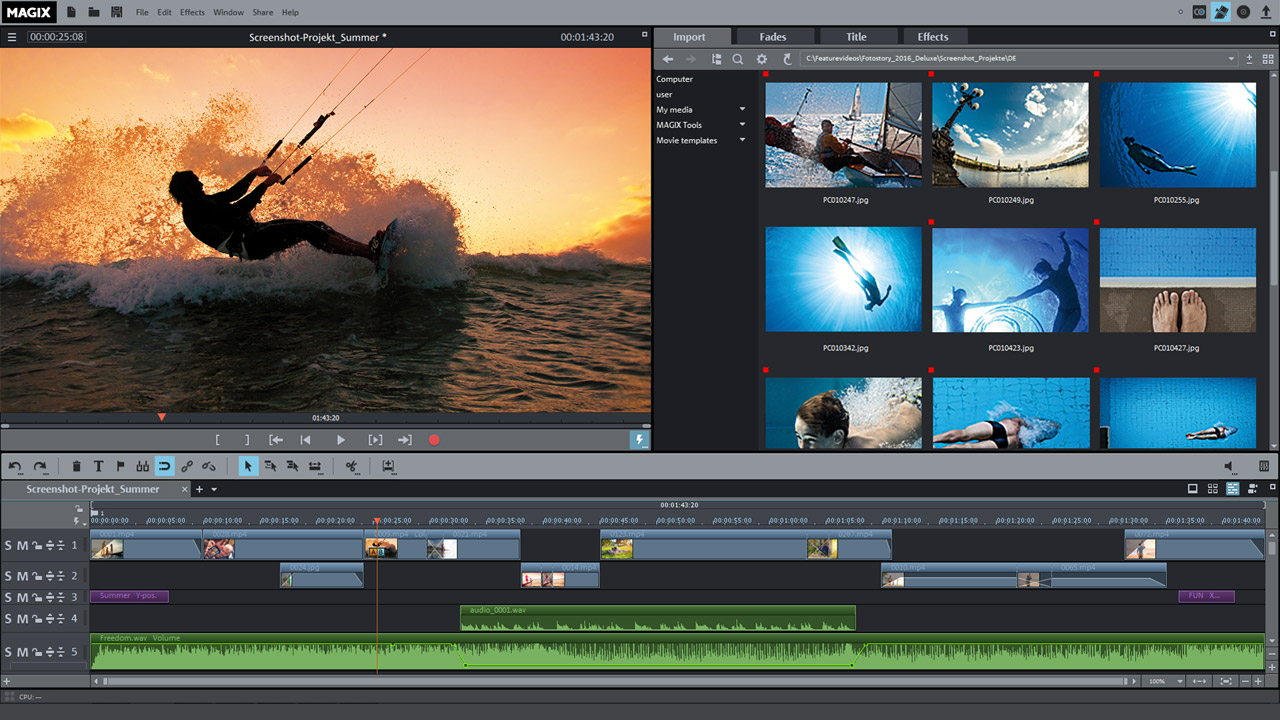
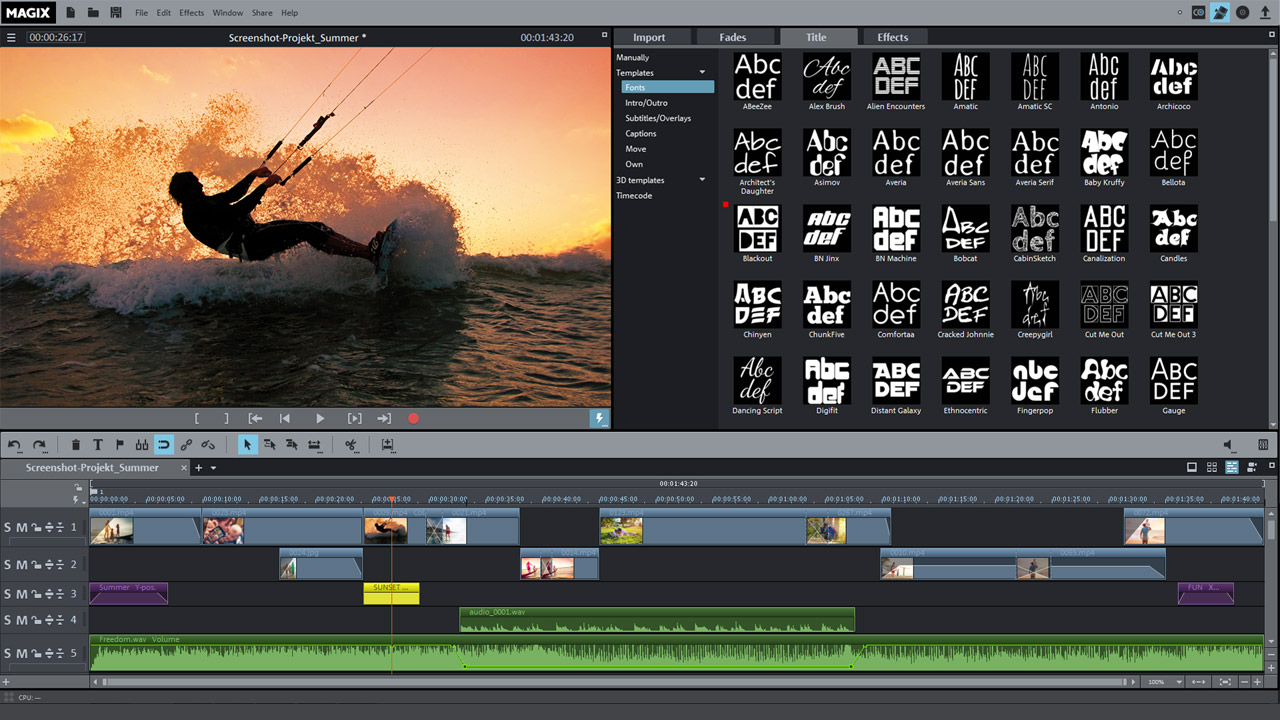
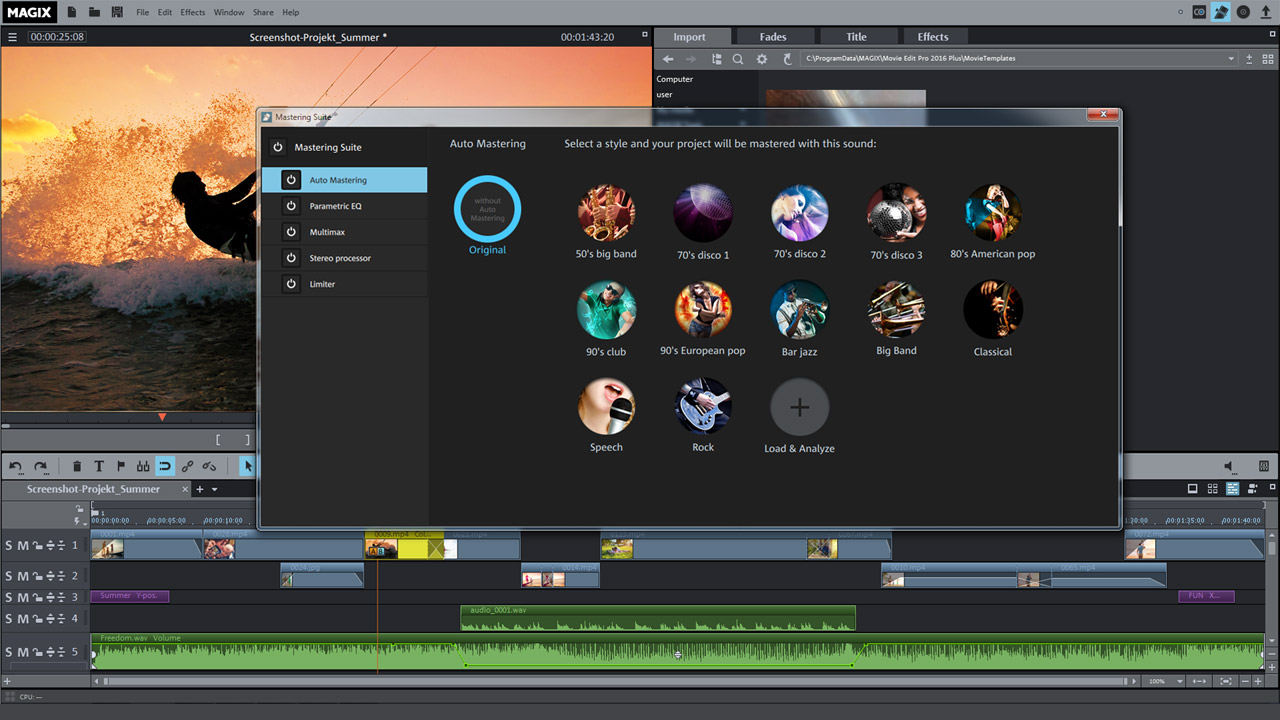
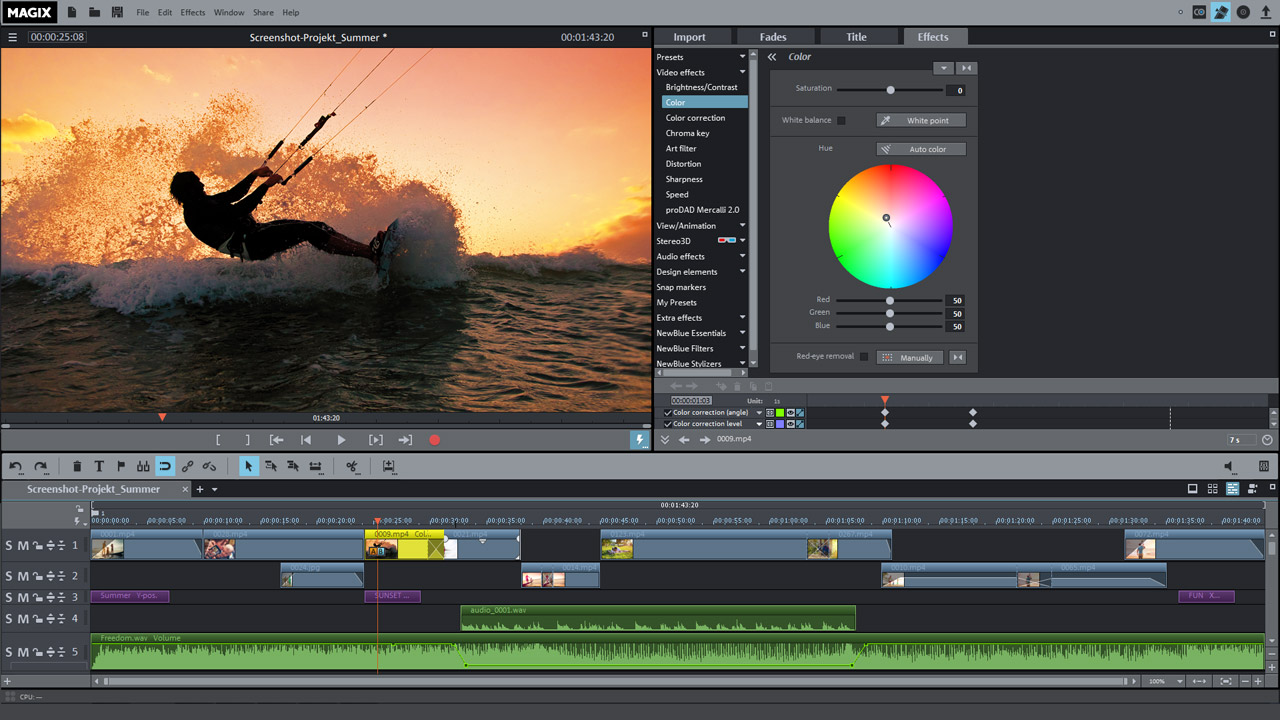
Show the world your best gaming experiences. MAGIX Movie Edit Pro 2016 Plus offers all the functions and tools you need for your video projects. Edit your walkthroughs frame by frame on up to 99 tracks or capture exciting moments of triumph on Let's Play.
App ID399610
App TypeADVERTISING
Developers
Publishers MAGIX Software GmbH
Release Date24 Sep, 2015
Platforms Windows
Supported Languages Russian, English, Finnish, French, Italian, German, Spanish - Spain, Dutch, Swedish

MAGIX Movie Edit Pro 2016 Plus
46 Total Reviews
32 Positive Reviews
14 Negative Reviews
Mixed Score

MAGIX Movie Edit Pro 2016 Plus has garnered a total of 46 reviews, with 32 positive reviews and 14 negative reviews, resulting in a ‘Mixed’ overall score.

Reviews Chart


Chart above illustrates the trend of feedback for MAGIX Movie Edit Pro 2016 Plus over time, showcasing the dynamic changes in player opinions as new updates and features have been introduced. This visual representation helps to understand the game's reception and how it has evolved.


Recent Steam Reviews

This section displays the 10 most recent Steam reviews for the game, showcasing a mix of player experiences and sentiments. Each review summary includes the total playtime along with the number of thumbs-up and thumbs-down reactions, clearly indicating the community's feedback

Playtime: 4638 minutes
It's a great tool for making sort of semi-professional videos, very easy to pick up and use without a steep learning curve. Large amounts of choice to what you can do with your video and im very pleased with it so far, though it lacks some features that i would have liked to see, such as more options for audio editing but the program is called "Movie Edit" after all :) Anyway for making 10 or 15 minute videos with alot of editing it works perfect, I did notice though that the program will be slower and sometimes very rarely freeze up when you have alot of cuts and edits in that short time. Definitely worth the money if you're in need of a cheaper option than something like Sony Vegas.
👍 : 1 | 😃 : 0
Positive
Playtime: 4567 minutes
Great budget video editing software. Pro: Quick render time Accepts many common codecs Simple workflow Good templates Decent effects Great price ( especialy on sale) Con: Poor animations Some basic functions are convoluted Huge CPU load during rendering ( 90-100% even on multicore processors) Many tasks require complete relearning of editing proccess Overall I do recomend this software with the caviat that you will be starting from scratch. No prior learning, exept with privious Magix titles, will be adventagious to you. There is quite a lot of room for improvement, but at this price point I realy can't complain.
👍 : 2 | 😃 : 0
Positive
Playtime: 35286 minutes
This program is pretty easy to use, has many features and lots of capability. I definitely recommend it for those reasons. However, the price is $100 CAD and WAY too expensive for it. I have had it crash way too many times. It has problems where, for some unknown reason, when you try to insert a title, if you misclick or delete all text before entering new text, abosolutely NO keyboard buttons will work. Not even Ctrl + S to save your project. until you exit the program and restart it. Quick Tip: DO NOT try to use this program if your computer has been on, even if it has been in sleep mode, for more than 15 hours. You WILL have problems. Don't say I didn't warn you. Right now, the program will not quick-open any previous projects without me needing to open Steam only to get a message saying that "Program is trying to open (filename). If you did not authorize this program's launch, please click cancel." Seriously, if you're going to get a video editing program, don't get it through Steam.
👍 : 6 | 😃 : 1
Negative
Playtime: 173028 minutes
I do not recommend this software. It will freeze up on you as well as crash and give you audio spikes in your movie. I have had a very difficult time using this product. When I first started using it all I was getting was an audio spike and I should have returned it right then and there. Now I am forced to use this product because I have no money to spend on a decent software. The customer service has been absolutly horrible and have not responded to me when I emailed them the crash log. Save your money and buy Sony Vegas. I will edit when I get some help. It will literialy occasionally cut off your webcam video 2:00 minutes before it is suppose to end
👍 : 3 | 😃 : 0
Negative
Playtime: 70241 minutes
It has crashes and stuff, but it works for what I need it to do and the layout is the easiest for a video editing software. Just, please let me use it forever as I edit my memories lol
👍 : 0 | 😃 : 0
Positive
Playtime: 124473 minutes
Decent functions for beginner video software, but there's one huge problem - the software doesn't shut down properly. Even trying to close it out from its menu doesn't work. You can't shut it down from the library either, it doesn't show up by name in Task Manager, and you can't log out of Steam as long as it's running - which sometimes it decides to do without you even opening it. Oh, and even though it says it's running, you can't open it back up once you "close" it without restarting your PC. Avoid.
👍 : 0 | 😃 : 0
Negative
Playtime: 72983 minutes
Its a very basic video editor. It's not great but has the features you need and when you compare the price to Premier it is fantastic. Very good standard video editor.
👍 : 0 | 😃 : 0
Positive
Playtime: 1764 minutes
Amazing Product. It takes time to get used to if you are new to video editing but it makes up for that in the tools it provides. I definitely recommend it!!
👍 : 9 | 😃 : 0
Positive
Playtime: 23534 minutes
MAGIX Movie Edit Pro 2016 Plus is like your ex-girlfriend. Lots of great features and easy to use but after a while it can become unstable. I've been using Video Editing software since before I probably should have to make awful youtube videos. Regardless of why I used it, at the very least it has given me experience. I've used Windows Movie Maker, Adobe Premiere, Sony Vegas, and now MAGIX. Without a doubt, MAGIX is the best I've used. WMM is too basic, Vegas has a steep learning curve, and Adobe ended up moving Premiere from reasonably respectable and simple software to a strange cloud-based editing system or something. MAGIX has absolutely everything needed to make some pretty slick videos. It comes packed with plugins, transitions, texts, effects, intros, outros, middletros, etc. This doesn't mean you're stuck slapping on the same exact 25 effects a la WMM. Effects have slider values and it's wonderful. The process of adding motion or changes to effects over time is also extremely simple. Keep in mind, you won't always want or need to put multiple moving effects over a single clip. But it's pretty freaking nice MAGIX gives you the option to easily do this. MAGIX also has an interesting feature of having a file browser built into the workspace overlay. This makes it extremely easy to import clips, photos, and music straight into the Timeline. Although to be fair, other programs simply require you to drag the video from a folder on your desktop into the editing program. Now this is a video editing program, remember, so obviously it can't be perfect. But Diamonds can't be totally perfect either. I've seen other reviews posted about how the program will tend to lock up/freeze/crash, specifically after about 10 minutes. I also have noticed this problem. Unlike others, I will post my computer specs: CPU; i7 3.5GHz: RAM; 16GB: GPU; NVidia GTX 970. The program runs incredibly well for a good while, but I have noticed the more stress I put the software under during an edit (length, effects) the more likely it will crash. This probably seems like common sense. But MAGIX has also crashed during miniscule activites. Earlier today, I began a new project, imported the first video and tried to create an audio waveform when the program froze until Task Manager Murdered. Even though this probably sounds pretty debilitating, MAGIX automatically backs up your project when the program begins crashing. This saves so much time and energy from lost progress due to a crash and without this feature, this program would have frustrated me into not recommending it. Bottom line, MAGIX is an incredible editor. Even if it's unstable at times, any crashes probably won't happen unless you do what I did and try to make a frag video look like a 13 year old that ingested LSD by adding as many effects as possible. Even if you don't want to make dank kill montages and just want to edit some clips of your dog eating sausages, MAGIX can and will create a very professional looking final product. I picked this up on a sale around half off, but I still recommend this at full price.
👍 : 7 | 😃 : 2
Positive
Playtime: 267421 minutes
The company MAGIX is allready very experienced in creating movie editing software. And this one doesn't dissapoint. Picture in picture is very easy to do, which was a prerequirement for me. Doing this in Camtasia was possible, but the software itself was unstable (I'm talking about Camtasia 7.1, other versions might be better but that's my experience with Camtasia). After looking into multiple tutorials and reviews about MAGIX Movie Edit Pro 2016 Plus, I decided to give it a chance. If you are unsure whether or not to buy this software try out MAGIX's many trial versions of their software. So I gave the trial version a chance and did some time editing. The outputs on those trial versions can only be 3 minutes long, but it's enough to test out its functionality. Fading in and out, Zooming, Rotating, Blinking....you name it, all of those effects are easy to do. Editing multiple clips and put them together is done well by allowing up to 99 tracks. The program also doesn't care what kind of tracks they are, be it music, video or picture track, it detects those by itself. It's also very versatile when it comes to movie formats. MP4-files are read and previewed within seconds. Audio can be split from the video file, so if you need to synchronize movies to sound (e.g. facecam) it is done very easily. MAGIX also provides multiple video effects by itself, as well as multiple text fonts. I also believe creating a subtitle file for Youtube is also possible, since I came across a function in MAGIX which I haven't even tried yet. Additional effects and fonts can be downloaded from the MAGIX server (from within the software). The selection is wide! The program also helps by telling you that files you added might not be suitable for the pre-settings you chose. Of course if you don't care you can simply skip those notes. The program also tells you if he finds any empty spaces between clips so the result won't have a few seconds of nothing in it. The only complaint I have is that exporting videos takes some time. Of course it depends on the amount of effects you prepared, how large the files are and so on...a powerful CPU helps. Many effects can be rendered using the GPU, which lessens the computer's time effort to export your video. Summary MAGIX Movie Edit Pro 2016 Plus is a stable and reliable movie editing software which allows up to 99 movie / audio / picture tracks and is most suitable for mid-performance editors and Let's Players. This program has the functionality you need! Like most 'complex' programs it does take a few hours to get used to the functions and usability. If you have any trouble there's tutorials all over the place. If you are unsure if you should get it, simply go to the MAGIX website and try the 30 days trial version. But believe me, it's worth it! Pros: + Stable + Good usability + wide range of functions + allows up to 99 tracks + synchronizing and editing multiple tracks at once is easy + overlapping of video layers is easy Cons: - takes some time to export the video
👍 : 65 | 😃 : 0
Positive

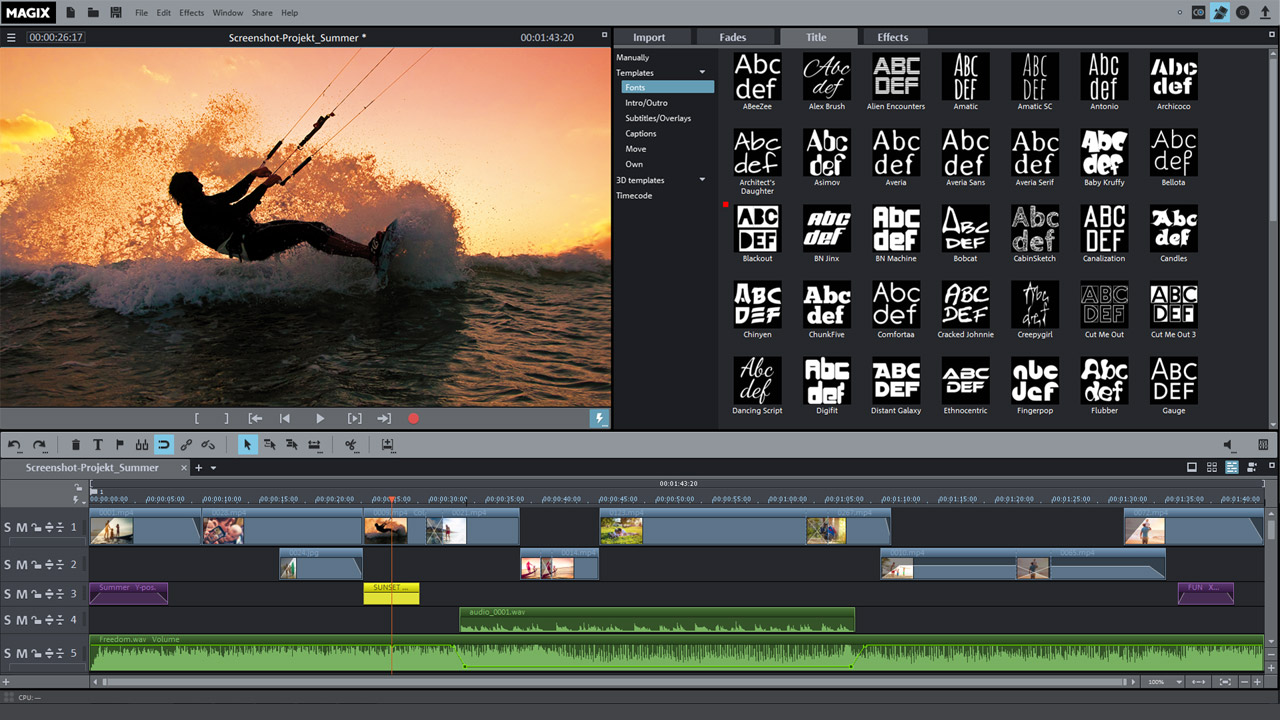
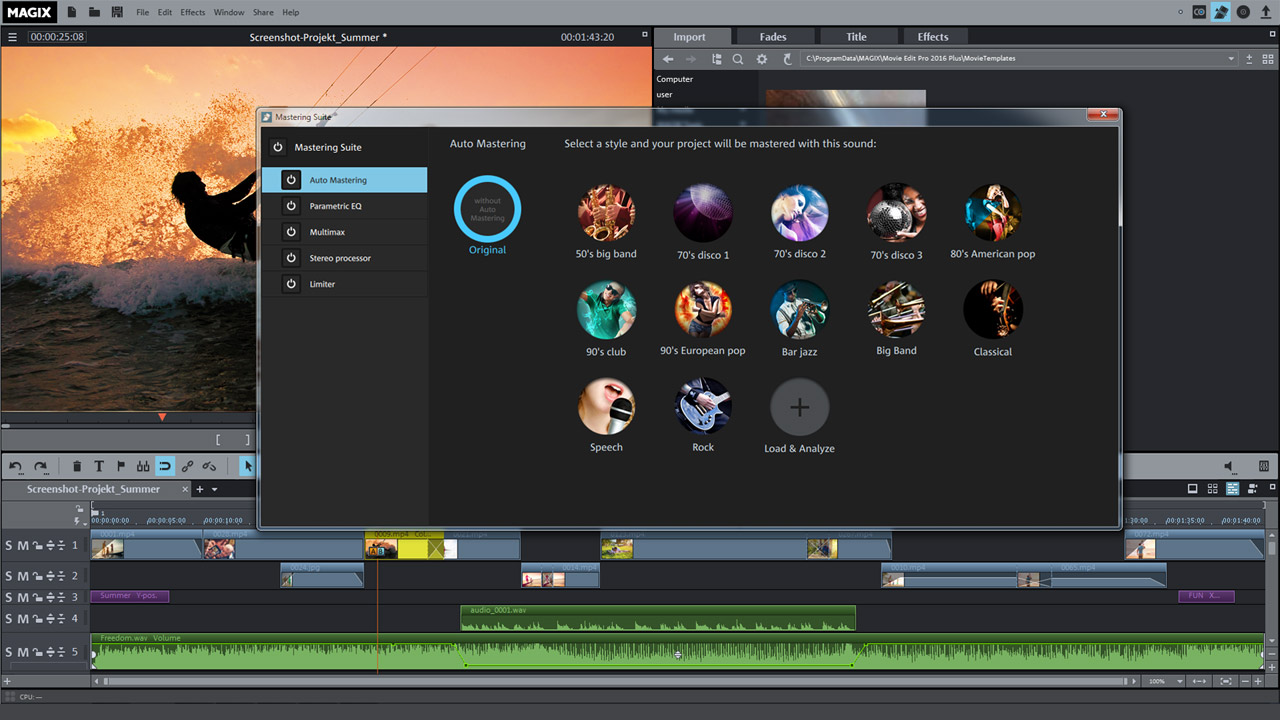
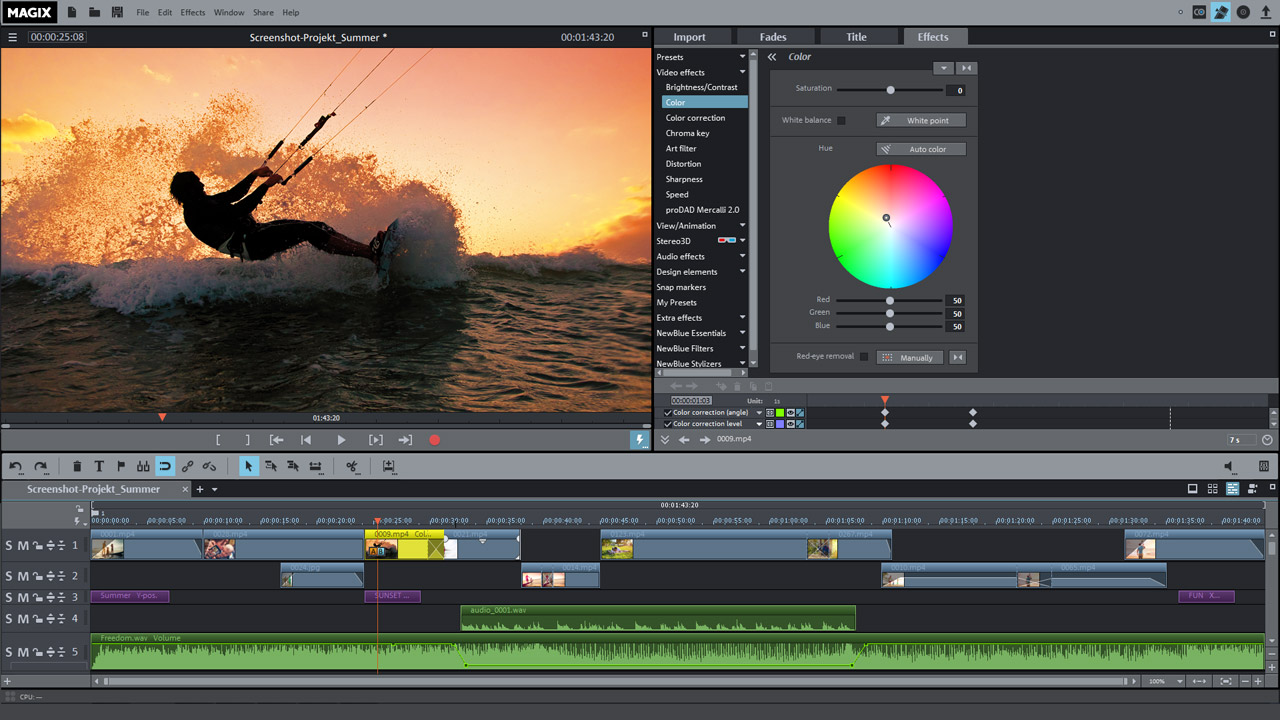
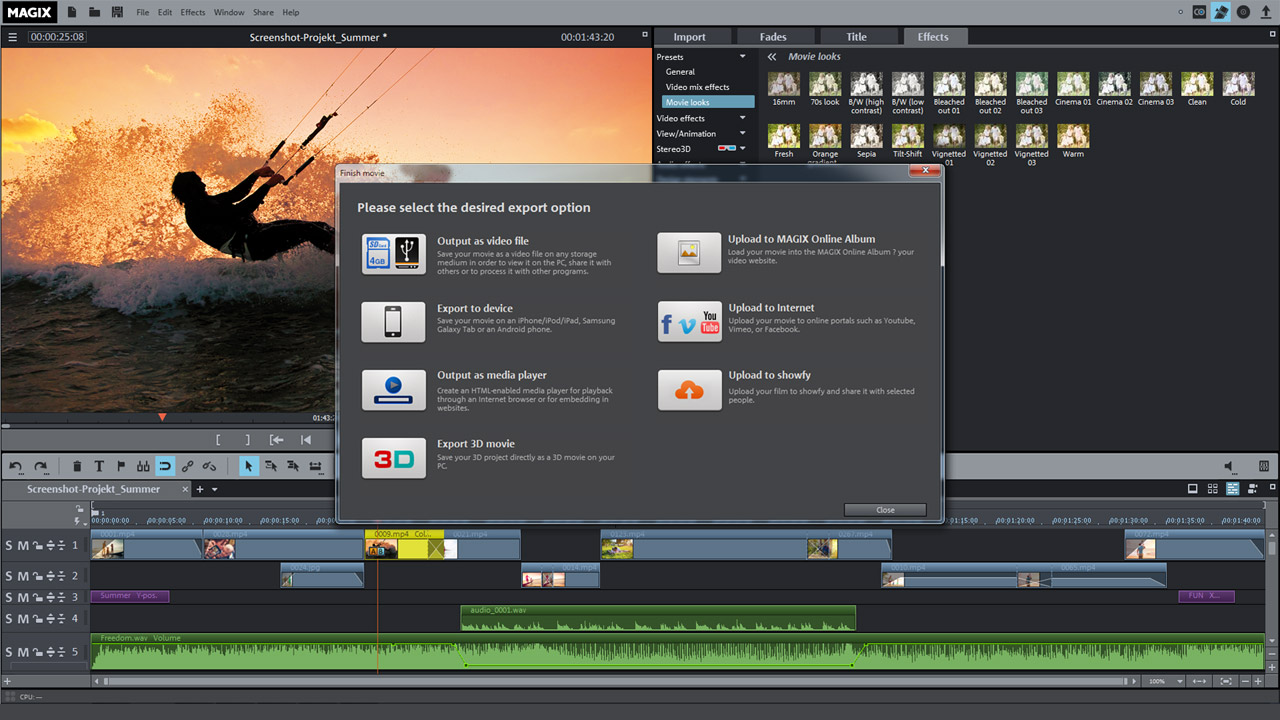
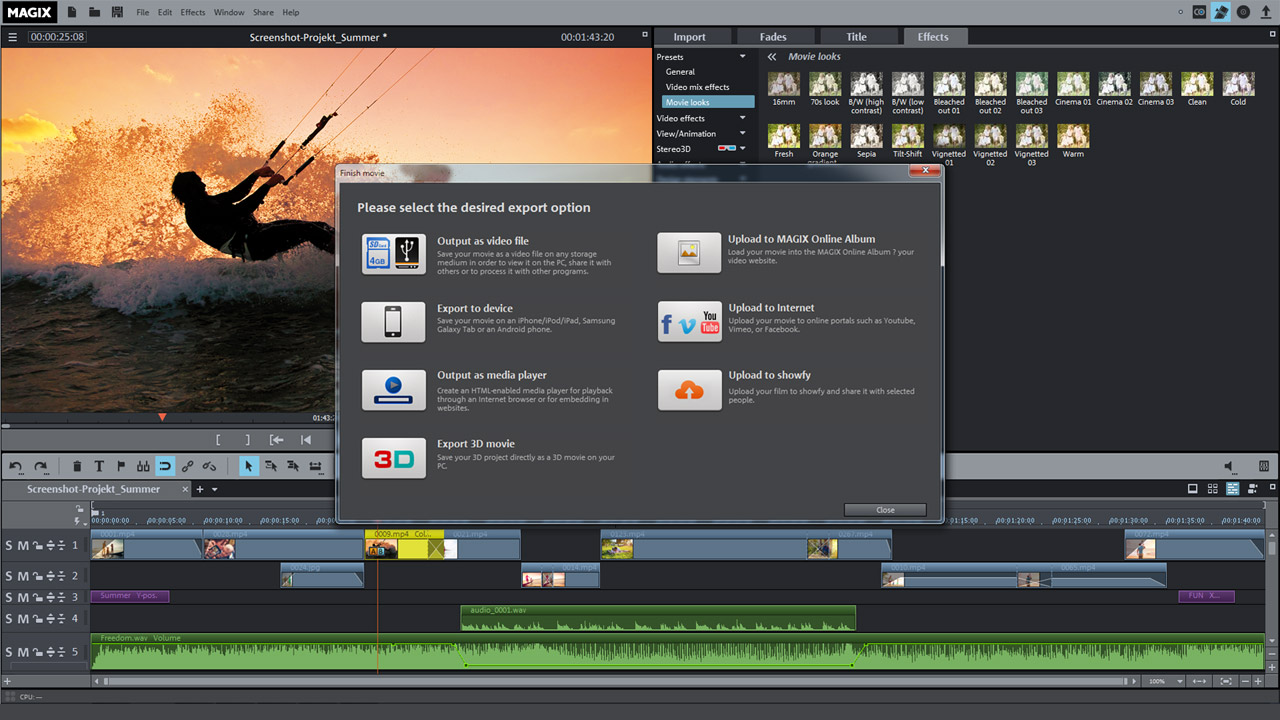
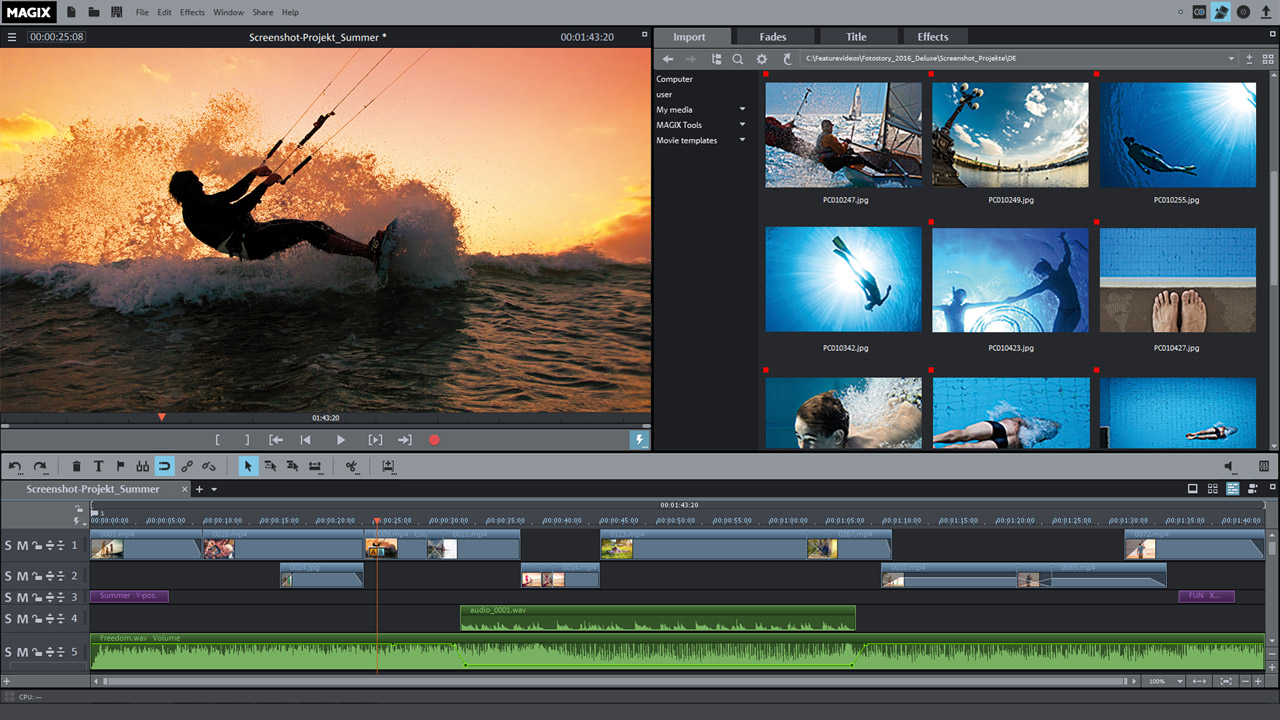
MAGIX Movie Edit Pro 2016 Plus Screenshots

View the gallery of screenshots from MAGIX Movie Edit Pro 2016 Plus. These images showcase key moments and graphics of the game.
MAGIX Movie Edit Pro 2016 Plus Minimum PC System Requirements

Minimum:
  • OS *: Windows 7 (64-bit)
  • Processor: 2 GHz
  • Memory: 2 GB RAM
  • Graphics: Onboard, minimum resolution 1280 x 768
  • Storage: 2 GB available space
  • Sound Card: Internal sound card
  • Additional Notes: Supported import formats Video: (DV-)AVI, HEVC/H.265*, M(2)TS, MJPEG, MKV, MOV, MPEG-1/2/4, MXV, VOB, WMV(HD) Audio: MIDI, MP3, OGG, Surround sound/5.1, WAV, WMA Image: BMP, GIF, JPEG, TGA, TIF Supported export formats Disc: DVD, Blu-ray Disc, AVCHD disc Video: (DV-)AVI, HEVC/H.265*, MJPEG, MOV, MPEG-1/2/4, MXV, WMV(HD) Audio: MP3, Surround sound/5.1, WAV Image: BMP, JPEG *HEVC encoding requires fee-based activation. MP3 export requires installation of Windows Media Player Version 10 or higher.

MAGIX Movie Edit Pro 2016 Plus Recommended PC System Requirements

Recommended:
  • OS *: Windows 7 | 8 | 10 (64-bit)
  • Processor: 2.8 GHz
  • Memory: 8 GB RAM
  • Graphics: Dedicated, at least 512 MB VRAM
  • Sound Card: Multi-channel sound card recommended for surround sound editing
  • Additional Notes: Some advanced program functions demand more of your computer's processing power. To get the most from these functions, your system should at least meet the recommended requirements. Check your operating system’s control panel for technical information about your computer.

MAGIX Movie Edit Pro 2016 Plus has specific system requirements to ensure smooth gameplay. The minimum settings provide basic performance, while the recommended settings are designed to deliver the best gaming experience. Check the detailed requirements to ensure your system is compatible before making a purchase.


File uploading